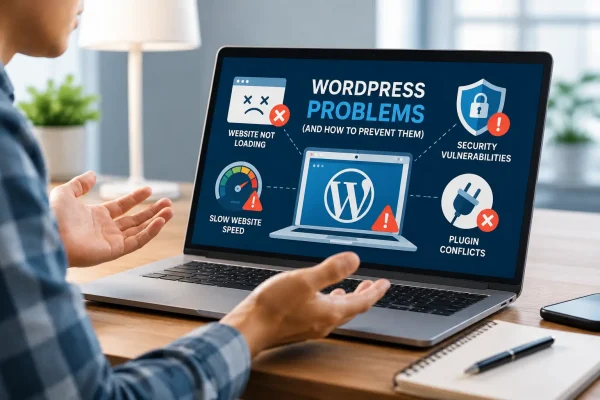
Your WordPress site should feel fast. So why does it sometimes drag its feet?
A slow-loading website is more than just an inconvenience, it can directly affect your business. According to Huckabuy’s speed performance statistics, even a one-second delay in page load time can reduce conversions by 7%. When load time increases from one to three seconds, bounce rates rise by 32%. Site speed affects SEO rankings, user trust, and your bottom line.
This article explores why WordPress sites become sluggish, what you can do about it, even if you are not a developer, and how managed WordPress hosting can solve the problem at its core.
Why WordPress Sites Get Slow: The Real Causes
Many site owners assume that speed issues are due to content, but the underlying causes are usually technical. In our experience reviewing hundreds of underperforming WordPress websites, roughly 80% of performance problems stem from deeper structural issues.
Cheap or Shared Hosting
Shared hosting environments limit your site’s access to server resources because multiple websites are crammed onto a single server. If one site spikes in traffic, it impacts others. These setups are often oversold, and rarely tailored for WordPress-specific performance. That means no built-in caching, outdated PHP versions, and little or no proactive maintenance.
Too Many Plugins or Poorly Coded Ones
Every plugin you install runs additional code. Some are written efficiently; others are not. Abandoned or outdated plugins can bog down both the front and back ends. Having too many plugins, or even just a few inefficient ones, can significantly slow your site.
Bloated Themes and Page Builders
Popular page builders and feature-rich themes offer visual flexibility, but they often generate excessive code. Themes that load large JavaScript and CSS files, or insert unnecessary design elements, increase page load times substantially. While these tools are great for design, they can be harmful to performance if not chosen carefully.
No Caching or Ineffective Caching
Caching stores static versions of your web pages so that servers do not need to rebuild them every time someone visits. Without caching, your site processes every request from scratch, pulling from the database and executing scripts. This slows everything down, especially during traffic spikes.
Unoptimized Images and Media
High-resolution images are among the most common causes of slow page speeds. If your media files are not compressed or converted into efficient formats like WebP, they can dramatically increase load times. Image optimization and lazy loading can make a substantial difference.
Geographic Distance from Server
The physical location of your server matters. If your target audience is in Japan but your server is based in Europe, every visitor has to wait for data to travel halfway around the world. This added latency slows your site even before it begins to load.
Lack of a CDN (Content Delivery Network)
A CDN hosts copies of your site’s static assets (images, scripts, stylesheets) on multiple servers worldwide. Without a CDN, every visitor retrieves files from a single location, which slows delivery, especially for international users.
Poor Hosting Uptime or Server Maintenance
Outdated server configurations, slow PHP versions, and lack of monitoring all add up to inconsistent performance. Without proactive maintenance, your host may only fix issues after they affect users. A good hosting environment anticipates and prevents slowdowns.
The Hidden Cost of a Slow WordPress Site
Speed is not just a technical metric; it affects conversion, SEO, and user experience in real-world terms.
Conversions
Amazon famously found that every 100 milliseconds of added latency resulted in a 1% drop in sales. While your site may not be as large as Amazon’s, the principle holds: slower sites lose revenue.
SEO Rankings
Google now includes Core Web Vitals as a ranking factor. If your site is slow, especially on mobile, it is less likely to appear near the top of search results. This reduces organic traffic and overall visibility.
User Experience
According to the Huckabuy study, 40% of users will abandon a website if it takes longer than three seconds to load. These users often do not come back.
Brand Trust
A slow site feels unprofessional. For first-time visitors, especially, sluggish performance signals that your business might be unreliable or under-resourced, even if that is not true.
Real-World Case
Businesses with slow-loading sites, especially those running e-commerce platforms, can lose tens of thousands of yen in monthly revenue due to high bounce rates and poor user experience. By addressing speed issues through performance-focused hosting, caching, and image optimization, it is possible to improve conversion rates significantly and reduce customer support overhead.
How Managed WordPress Hosting Solves These Issues
Managed hosting is not just about faster servers it is about removing complexity for site owners while improving performance from the ground up. Here is how it works.
WordPress-Specific Performance Tuning
Managed hosting providers configure their infrastructure specifically for WordPress. This includes updated PHP versions, optimized MySQL databases, and object caching. You do not have to configure anything manually.
Built-In Caching and CDN
These features come ready to go. You do not need to install or manage caching plugins or sign up for a third-party CDN service. Pages are served faster, especially for international visitors.
Image Optimization and Lazy Loading
Some managed hosts automatically compress and serve images in the right format, or provide tools to help you do so. Lazy loading delays the loading of off-screen images, which speeds up the initial page view.
Staging Environments and Plugin Conflict Management
You can test site changes in a staging environment before pushing them live. This helps prevent crashes caused by plugin conflicts or bad code, making development safer and faster.
Proactive Monitoring, Backups, and Support
Managed hosts monitor performance continuously, alerting you to problems before they affect users. They also handle regular backups, security patches, and offer expert support teams familiar with WordPress-specific issues.
But Don’t Plugins Solve This?
It is a common myth that caching or speed optimization plugins alone can fix a slow site. While they can help, they are only part of the picture. If your server is slow or unoptimized, plugins can only do so much. True speed improvements come from both software and infrastructure working together, which is what managed hosting provides.
Shared vs Managed Hosting: A Quick Comparison
Still wondering why hosting matters so much? Here is how the two options compare.
Shared Hosting:
You share server space with hundreds of other sites. Resources are limited. Performance tuning is generic, and support is often basic. When something breaks, it is usually on you to fix it.
Managed WordPress Hosting:
You get dedicated resources and infrastructure tailored for WordPress. The provider handles caching, image optimization, CDN, security patches, and more. Support teams understand WordPress deeply, and many offer migration assistance.
If speed, reliability, or peace of mind matter to your business, managed hosting offers clear long-term value.
Do You Actually Need Managed Hosting?
Here are some signs that switching to managed hosting could be the right move:
- Your site takes more than three seconds to load
- Time to First Byte (TTFB) exceeds 800 milliseconds
- Largest Contentful Paint (LCP) is greater than 2.5 seconds
- Bounce rates are over 70%
- Google PageSpeed Insights gives you poor (red) scores
- You spend too much time researching fixes instead of growing your business
- You rely on a dozen plugins just to achieve basic performance
What About Migration?
Some site owners hesitate to switch hosting providers because they assume migration is difficult or risky. With a modern managed host like WP Flex, migrations are handled for you. Most sites are transferred within 24 to 48 hours, and you get access to a staging version before going live. DNS changes, SSL certificates, PHP compatibility—these details are managed for you.
Quick Wins: How to Speed Up WordPress Now
Even if you are not ready to move to managed hosting, there are a few simple ways to improve your site’s speed.
Optimize Images:
Use tools like ShortPixel or TinyPNG to compress images without losing quality. You can reduce load times significantly just by shrinking a few large media files.
Remove Unused Plugins:
Go through your plugin list and deactivate anything you are not actively using. Even deactivated plugins can sometimes leave scripts behind. Fewer plugins mean faster processing and less risk of conflicts.
Choose a Lightweight Theme:
Switching from a feature-heavy theme to something lean like Astra or GeneratePress can cut down your CSS and JavaScript footprint, making your site noticeably faster.
Use a Performance Plugin:
Plugins like WP Rocket or LiteSpeed Cache simplify caching, code minification, and lazy loading. They can be a helpful middle ground if you’re not yet on a managed host.
Add a Free CDN:
Setting up a free Cloudflare CDN can make your assets load faster globally and reduce the strain on your server.
Each of these tips can offer measurable improvements, even without a full hosting upgrade.
Final Thoughts: Speed Is a Business Decision
Website performance is not just about pleasing search engines—it is about delivering a great experience to real people. A faster site keeps visitors engaged, helps you rank higher in search results, and converts better. Most importantly, it reflects well on your business.
Looking ahead, speed will only become more important. As more of your competitors invest in optimization and search engines continue emphasizing user experience, the margin for slow websites continues to shrink.
You do not need to be technical to benefit from a faster site. If your time is limited, your reputation matters, or your team is already stretched, managed WordPress hosting is a practical and cost-effective solution.
Ready to Fix Your Slow WordPress Site?
If your WordPress site feels sluggish and you are considering a smarter, faster hosting option, WP Flex’s managed WordPress plans are built to help—from speed to stability to expert support.
And if you have questions about how site performance affects your business, or want to talk through what a switch could look like, our team at Netwise is here to help. We work with site owners and marketers across Japan and the Asia-Pacific region, and we’re happy to point you in the right direction.