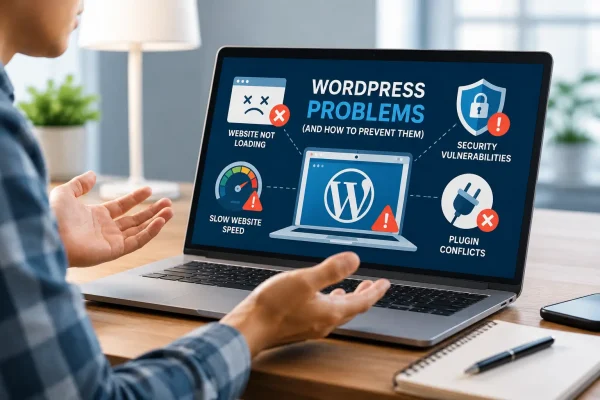
A business website appears perfectly healthy until a routine change exposes a problem. A plugin update breaks a form, a campaign page loads slowly, or an error appears outside normal working hours, when no one is immediately available to investigate it. The hosting company confirms that the server is online, but the website itself is still not working, and the internal team loses time trying to determine who is responsible.
In our earlier guide to managed WordPress hosting, we explained how specialist hosting can provide a more reliable technical foundation for a business website, covering areas such as performance, security, backups, monitoring, and WordPress-focused assistance.
Managed WordPress support goes further by providing ongoing care for the website itself, along with a dependable technical partner who can prevent potential problems, resolve issues, and guide future changes. When a website performs key business functions such as lead generation, recruitment, online sales, or customer support, the important question is not where it is hosted, but rather who is actively looking after it.
The Difference Between Hosting and Support
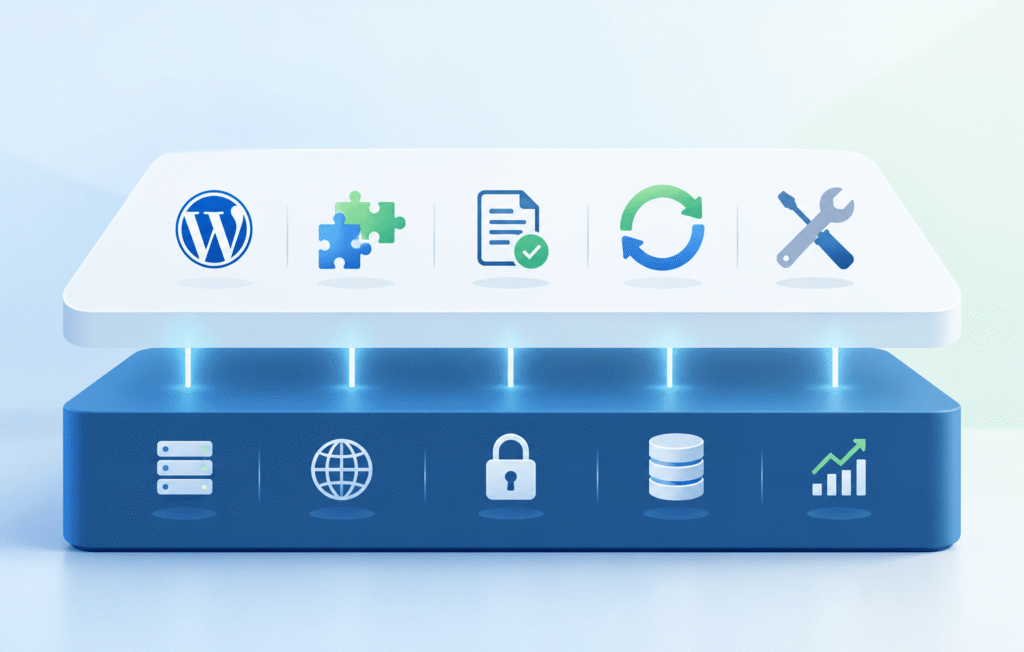
Managed WordPress hosting and WordPress support are closely related, but the scope varies between providers. A useful distinction is that hosting refers to the website environment (network, hardware, and software), while WordPress support involves maintenance and updates of the website itself.
Managed hosting commonly covers server maintenance, security controls, caching, uptime monitoring, SSL, backups, and the underlying technology needed to keep a website available. Website support covers the WordPress site itself, including core software, themes, plugins, forms, integrations, content workflows, errors, and ongoing improvements.
Every WP Flex plan combines these two layers, providing managed hosting infrastructure alongside comprehensive ongoing WordPress support. Depending on the plan, the service includes Tokyo-based hosting infrastructure, a global content delivery network, daily backups, integrated caching, and threat detection, as well as a staging environment, periodic maintenance, and technical support.
Simple Hosting is Reactive, Managed Support is Proactive
Most standard hosting providers are responsible for the server, network, hosting account, and basic access. They may investigate an outage or help restore control-panel access, but they may not troubleshoot a broken form, resolve a theme conflict, test a failed plugin update, or advise whether a new feature is safe to add. The hosting service can therefore be operating correctly even when the website is not.
Reactive support begins after something breaks. Proactive support reduces the likelihood and impact of problems by monitoring the site, applying updates carefully, checking backups, reviewing performance, and testing critical functions. It is similar to servicing a vehicle before a warning light appears. Maintenance cannot prevent every fault, but it can make failures less frequent and less disruptive.
Official WordPress security guidance describes security as a continuous process involving planning, monitoring, maintenance, and recovery. WordPress also recommends that users keep their software current and maintain backups so that changes can be reversed if an update causes trouble.

Why Businesses Outgrow Cheap Hosting
Low-cost hosting can be appropriate for a personal blog, hobby project, or simple brochure website that rarely changes. Business websites, however, tend to gain more pages, plugins, tracking tools, forms, contributors, languages, and integrations. A site that began as a company profile may eventually support inquiries, recruitment applications, CRM connections, registrations, or online transactions.
As the website becomes more important, inexpensive hosting can expose a wider support gap. Site-level issues may be excluded, updates may be postponed because nobody wants to break anything, and recurring problems may be treated as unrelated repairs.
The clearest sign that a business has outgrown its current setup is often the growing frustration around keeping the website running. Support requests take too long, hosting providers say that the problem falls outside their scope, plugin updates cause unexpected issues, and no single person takes responsibility for seeing the problem through. When these situations become routine, the business no longer has a reliable support structure around the website.
What WordPress Website Support Normally Includes
WordPress website support typically brings together several areas of ongoing website care. These include maintenance and updates, security monitoring, performance, backups, troubleshooting, and technical advice, each of which helps keep the website stable and easier to manage over time.
Regular Maintenance and Safe Updates
WordPress core, plugins, and themes change over time. Updates may contain security fixes and compatibility improvements, but they can also create conflicts when several components depend on one another.
A managed provider reviews updates, applies them in a controlled way, and checks the website afterward. For complex sites, changes can be tested on a staging copy before going live. This reduces the uncertainty that leads teams to delay updates indefinitely.
WordPress documentation on updates recommends backing up before making changes, while its guidance on plugin and theme auto-updates stresses the importance of having a rollback option. Managed support turns these recommendations into a repeatable process.
Security Monitoring and Emergency Response
Website security involves more than installing a plugin. It requires current software, controlled access, reliable backups, monitoring, and a clear response when something unusual occurs.
A managed team can review vulnerabilities affecting the site’s actual plugin and theme stack, investigate warnings, detect malware, and coordinate recovery. This matters because some problems remain hidden while spam pages, unauthorized accounts, or malicious files operate in the background. It also gives the business a defined first point of contact rather than forcing staff to decide whether an issue belongs with the host, developer, plugin vendor, or internal IT team.
Performance Monitoring and Site Health
Managed WordPress support includes monitoring how efficiently the website performs and investigating the cause when it begins to slow down. As images, scripts, plugins, campaign tools, and integrations are added, a support team can determine whether the issue comes from server capacity, WordPress configuration, a plugin, oversized media, database overhead, or third-party code.
Tools such as the WordPress Site Health screen and Google’s Core Web Vitals guidance can help identify technical and user-experience issues. Managed support goes further by interpreting the results, prioritizing improvements, carrying out the necessary work, and checking that the changes have improved the website’s performance.
Backups and Recovery
A backup is useful only when it is current, complete, stored safely, and capable of being restored. Managed support should establish how often backups run, where they are stored, how long they are retained, who can restore them, and what happens if the live site fails.
This creates a practical recovery path after a failed update, accidental deletion, malware incident, or hosting problem. The goal is not to promise that nothing will go wrong, but to reduce downtime and uncertainty when something does.
Troubleshooting and Ongoing Advice
Many support requests do not fit neatly into a hosting category. A form stops delivering email, a page displays incorrectly on mobile, a plugin conflicts with the theme, or an external service changes its integration. Managed support provides one place to report the issue, track it, and reach a resolution through direct contact with a real human being.
Support also helps before changes are made. A team can assess whether a proposed plugin is maintained, whether an integration is suitable, or whether a simpler approach would be more sustainable. Over time, this advice prevents the site from accumulating unnecessary complexity.
A managed support arrangement may include updates, monitoring, emergency response, backups, malware detection, staging, technical support, consultation, and performance work. The practical value lies less in the number of services listed than in the continuity they provide: one tracked channel for questions and requests, a team familiar with the website’s history, and a clearer process for resolving issues.
What Are the Alternatives?
Do it Yourself
Managing WordPress internally has the lowest direct cost, but it requires time, confidence, and ongoing attention to updates, security, backups, and troubleshooting. It may suit a simple site, although the economics change when a senior employee spends several hours resolving a technical issue.
Assign Someone Internally
Assigning the website to a marketing coordinator, office manager, or general IT resource can also work for content administration. The risk is that maintenance becomes an unofficial responsibility without enough time, documentation, authority, or specialist knowledge, and the arrangement may fail when that person changes roles.

Hire a Freelancer
A freelancer can provide useful expertise and flexibility, especially for planned work, but dependence on one person can create availability and continuity risks.
Work With a Managed Support Provider
A managed provider offers a team, established processes, accountability, and an ongoing record of the website. Businesses should compare the total cost of each option, including staff time, delays, repeated problems, and the risk of having no clear owner.
Managed Support in Practice: Real-World Examples
WP Flex has spent more than 15 years supporting business websites and has encountered a wide range of technical, operational, and maintenance challenges. The following real-world examples show how ongoing support has helped clients address immediate problems, reduce internal workload, and build a more reliable approach to managing their websites over time.
For a Japan-based fintech company, the business lacked sufficient WordPress expertise in-house and found outsourcing more cost-effective than hiring a full-time specialist. Support has included bug fixes and new page creation, while fast responses and efficient revisions have helped the company maintain its site without adding an internal technical role.
Relo Network Asia needed coordinated support across five brands and six websites after experiencing slow service from its previous vendor. During a large rebranding, WP Flex supported design and functionality changes without unexpected delays or costs. The relationship continued through spam reduction, feature improvements, and technical advice. The client reported stronger engagement and more potential business contacts through improved inquiry forms, but the deeper value was continuity and a partner able to propose sustainable alternatives.
For StorHub, the previous CMS made content and SEO changes difficult, while the business needed bilingual assistance with a complex CRM integration. Ongoing WordPress guidance, quick issue resolution, and proactive SEO improvements gave the marketing team greater confidence and helped the website become a stronger customer acquisition tool.
These examples show that managed support is not one standardized task. Its role changes with the organization, from day-to-day fixes to coordinating multiple sites, supporting content teams, improving integrations, and helping the website evolve.
Stability, Support, and Peace of Mind
Managed WordPress support extends beyond the infrastructure provided by hosting. It brings together the ongoing maintenance of WordPress core, themes, plugins, forms, integrations, security, performance, and backups, while also providing a clear point of contact when questions or problems arise.
As a business website becomes more important to lead generation, customer communication, recruitment, or daily operations, relying on reactive fixes becomes increasingly difficult. Updates need to be handled carefully, performance issues need to be investigated, backups need to be recoverable, and unexpected problems need someone who will take responsibility for seeing them through. Businesses can manage these tasks internally or rely on a freelancer, but each approach requires sufficient time, expertise, availability, and continuity.
A managed support arrangement provides a more structured alternative. Proactive monitoring and maintenance can reduce the likelihood of disruption, while an experienced team can respond when issues occur and advise on changes as the website develops. The result is not simply faster troubleshooting, but a more reliable and sustainable way to manage an important business asset.
Unlike fully automated hosting platforms, WP Flex ensures that clients have direct access to a real person who understands the website’s technical history and its specific business context.
Organizations experiencing recurring issues, slow responses, unclear ownership, or a growing internal workload can contact WP Flex to review their current setup and identify where managed support could reduce risk and improve day-to-day reliability.